
How do I generate my XML sitemap?
Published on: 04/11/2026
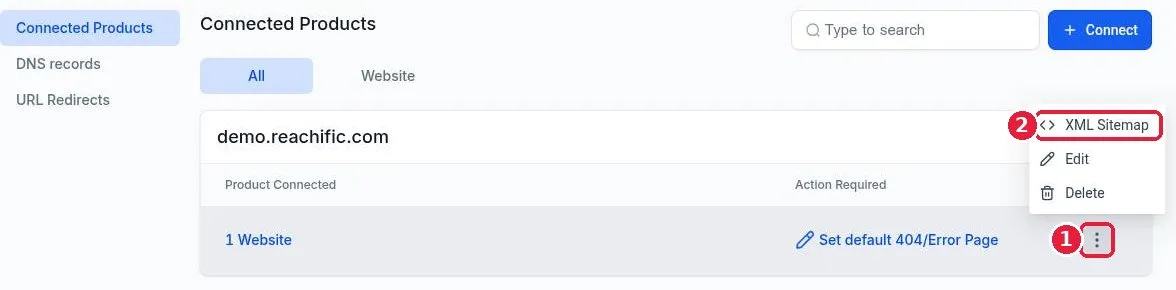
Generate an XML sitemap in Reachific: go to Settings, Domains and URL Redirects, click Manage on your domain, open the three dot menu on the product row, choose XML Sitemap, tick your site or pages, click Proceed, then Generate and Save. Your sitemap lives at yourdomain.com/sitemap.xml.
XML sitemapsitemapGoogle Search ConsoleSEOhelp center